9.7s · TREND EXAMPLEMuted preview
REELSY EFFECTS / PHOTO TO DANCE VIDEO
Babydoll Dance AI Video Generator
One photo, one reference clip, one dance. Pick a reference. Add your image. Make it your own.
Make it yours
Reference + image01 Reference video
One photo in a street trio
9.7s · Template reference
MP4 or WebM · up to 15s / 50 MB. Reference duration affects the quote. Longer clips must be replaced, not automatically shortened.
Third-party reference · Babydoll Dance AI ↗Drafts stay in this browser for 24 hours. Inputs upload when you request a quote.
Instructions guide the result; exact character replacement or LoRA effects are not guaranteed.
Photo tips
One person, face clearly visible, good light. Include the upper body and leave some room around the subject.
04 Length
768P · from ~2 credits / billed secondFrom ~10 credits
Base estimates exclude reference duration, which can increase billed seconds. The exact quote must be confirmed. Original audio is not preserved; no music license is included.
Choose your photo first. Sign in when you’re ready.
Choose a reference. Make it your own.
See photo → video8s · TREND EXAMPLEMuted preview
An illustrated character dances
10s · TREND EXAMPLEMuted preview
Solo take, reference rebuilt from the clip
Third-party trend examples. Reelsy results will vary; these are not Reelsy-generated videos.
THE TRANSFORMATION
A photo is only
the beginning.
See how the trend pairs a familiar face with a new setting. These photo-and-video examples are shown by Babydoll Dance AI.
 Reference photo
9.7s · TREND EXAMPLEMuted preview
One photo in a street trio
Third-party example ↗One uploaded portrait takes the center of a three-person street dance; the two outer dancers stay from the reference clip. The reference photo here is the original input.
 Reference photo
8s · TREND EXAMPLEMuted preview
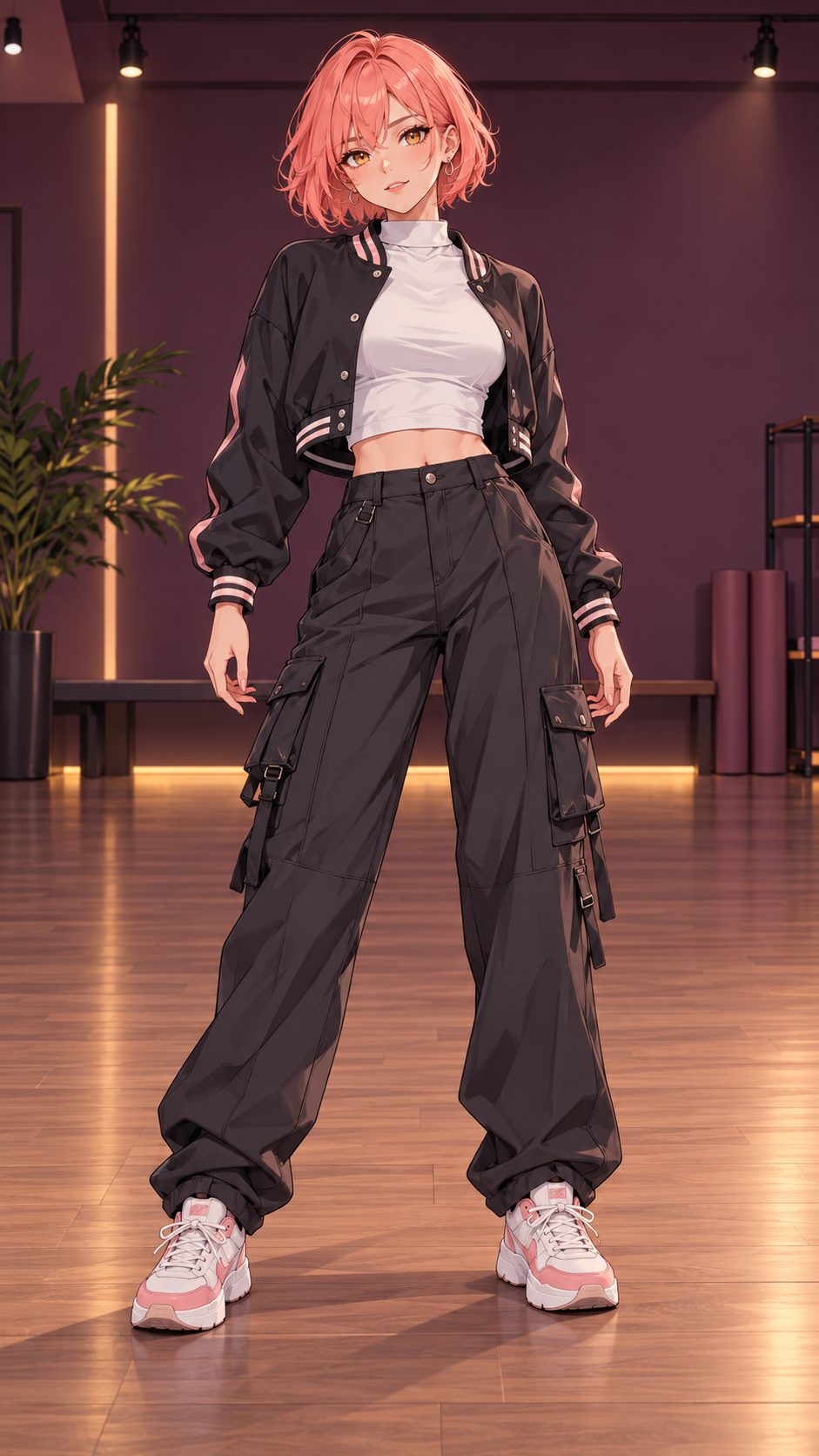
An illustrated character dances
Third-party example ↗An illustrated character animated against an 8 second dance reference. The subject is drawn rather than photographed, and the reference image is the original illustrated input.
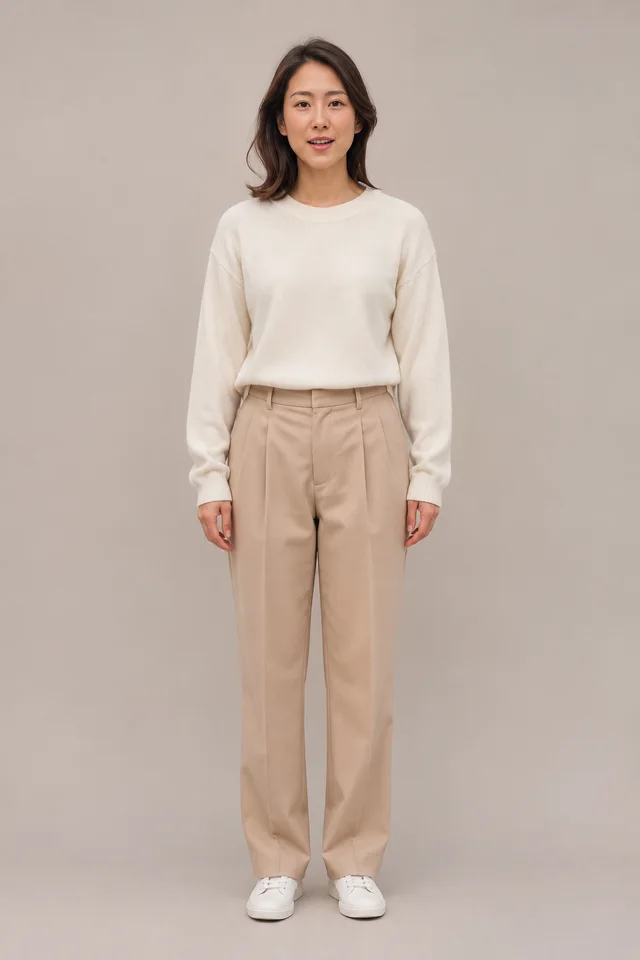 Reference photo
10s · TREND EXAMPLEMuted preview
Solo take, reference rebuilt from the clip
Third-party example ↗A solo street dance that keeps one performer in frame from the first step to the last. The reference image was rebuilt from this video; it is not the original upload and did not produce this clip.
ANATOMY OF THE TREND
Same street. Same rhythm. One new face.
The Babydoll Dance trend is a short choreography clip: a walk in, a turn, a look at the camera, and an easy exit. The reference clip carries the timing and the camera; your photo carries the face. The frames below are pulled from a third-party example video, not from a Reelsy generation.
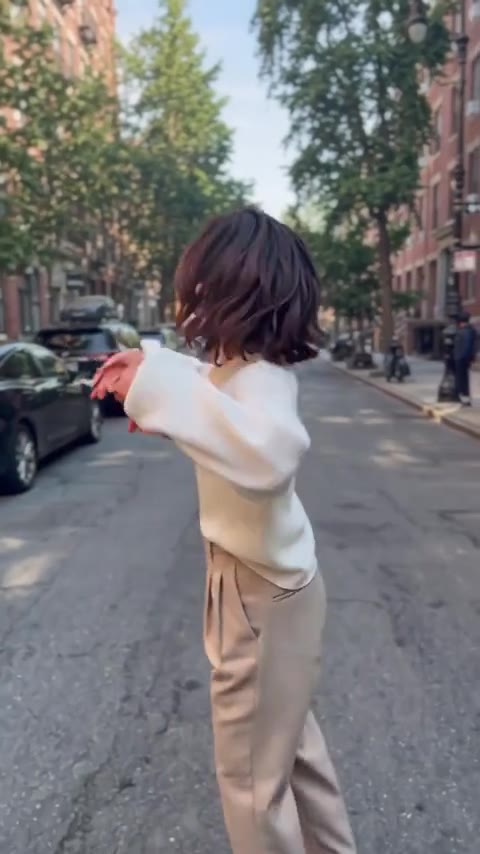 01
The entrance
Back to camera, arms out, and the street already moving.
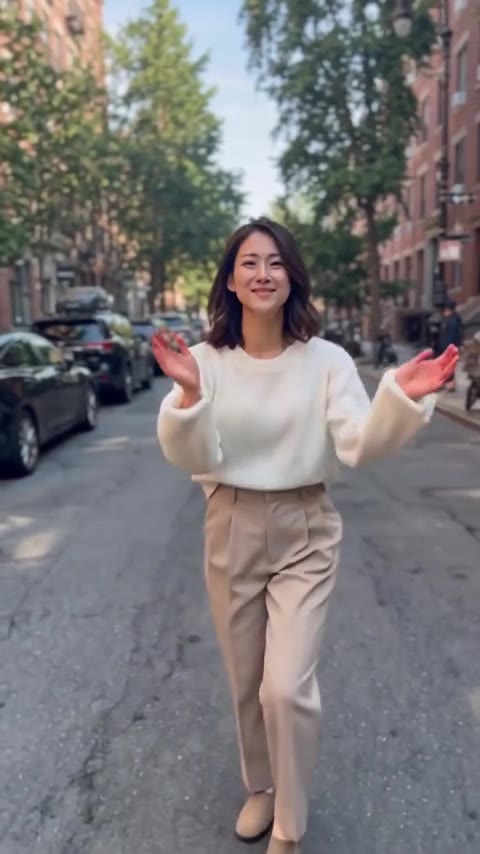 02
The turn
Half turn, hands up, and the face lands in frame.
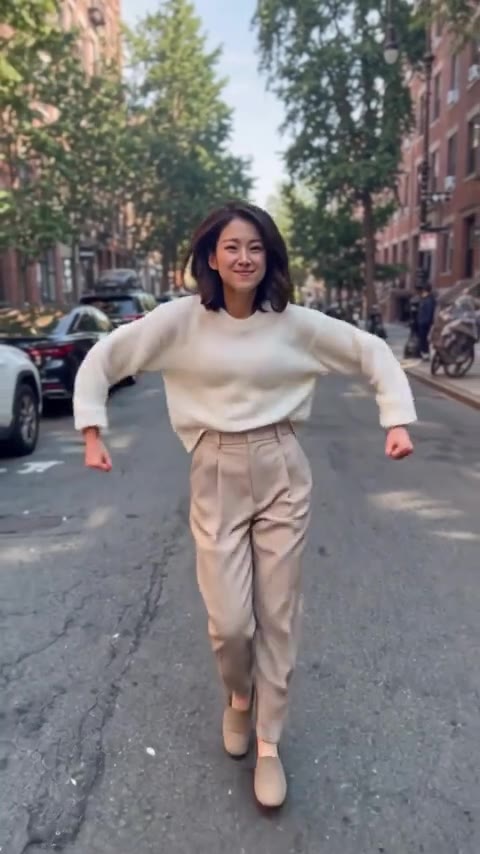 03
The look
Walk toward the camera and hold the gaze for a beat.
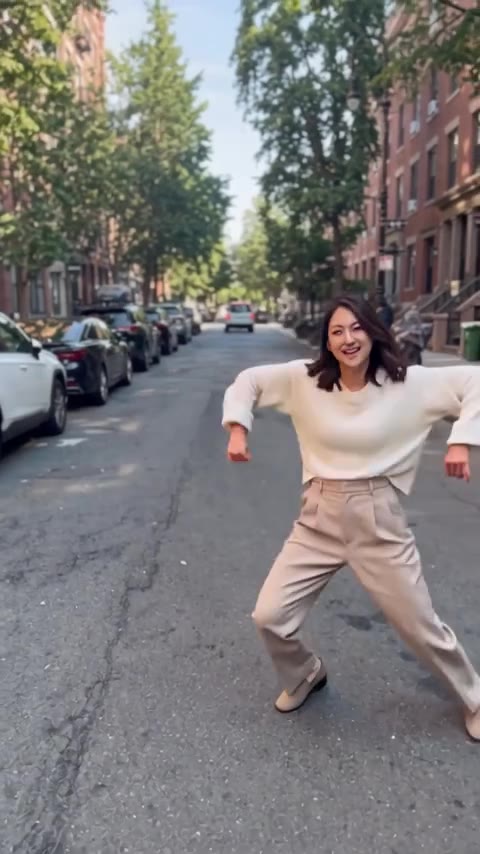 04
The finish
A wide stance on the last beat instead of a hard cut.
Frames from the Babydoll Dance AI trend reference. Not a Reelsy generation.
MAKE SOMEONE’S DAY
Who’s up next?
A softer post
Trade the usual selfie for a short clip with a little movement.
A friend's photo
Start from a photo a friend gives you permission to use.
A birthday post
Turn one good portrait into a clip worth replaying.
From photo to your next post.
Three small steps. One new move.
01
Choose your reference
Use a template example or add your own MP4 or WebM clip up to 15 seconds and 50 MB. Your reference is saved with the draft and uploaded when you request a free quote.
02
Add your image and instructions
Upload a clear photo of one person. Optionally describe what you want to keep or change. Your video, image, and instructions stay together in your draft.
03
Generate and download
Sign in to open your workspace with all your inputs restored. Pick 5, 10, or 15 seconds at 768P, request a free quote, then explicitly confirm its credits to generate and download. Drafts stay in this browser for 24 hours.
REELSY SUBSCRIPTIONS
One plan. More ways to create.
Use your plan’s credits across supported Reelsy tools.
Free
$0to start
No subscription required
15 credits at signup
Base estimate: from ~2 credits / billed second
~1 × 5s · ~0 × 10s · ~0 × 15s
Estimates only. Reference duration can increase cost; the actual quote determines how many videos you can make.
- Character-consistent AI
- Standard quality
- Watermark included
- 15 credits included at signup
Starter
$29/ month
Billed monthly
600 credits / month
Base estimate: from ~2 credits / billed second
~60 × 5s · ~30 × 10s · ~20 × 15s
Estimates only. Reference duration can increase cost; the actual quote determines how many videos you can make.
- Access to all AI video models
- No watermark
- Premium voices
- Background music
- Email support
Growth
MOST POPULAR$79/ month
Billed monthly
2,400 credits / month
Base estimate: from ~2 credits / billed second
~240 × 5s · ~120 × 10s · ~80 × 15s
Estimates only. Reference duration can increase cost; the actual quote determines how many videos you can make.
- Everything in Starter
- Longer videos (60s)
- 2 series projects
- Priority generation
- Analytics dashboard
Ultra
$299/ month
Billed monthly
10,000 credits / month
Base estimate: from ~2 credits / billed second
~1000 × 5s · ~500 × 10s · ~333 × 15s
Estimates only. Reference duration can increase cost; the actual quote determines how many videos you can make.
- Everything in Growth
- Extended videos (90s)
- 4 series projects
- Voice cloning
- API access
- White-label + Support
Paid plans renew automatically. Manage or cancel in Billing. Tool availability and generation costs vary; a subscription does not unlock unreleased templates.
One-time credit packs
Coming soonTop up without a subscription. One-time packs are on the way.
A FEW THINGS TO KNOW
Before you
make your move.
What is the Babydoll Dance AI generator?
It is a photo-to-video template inspired by the Babydoll Dance trend. Pick a reference video and one photo, and Reelsy produces a short vertical video in 5, 10, or 15 seconds at 768P. The reference guides motion, framing, and timing; exact character replacement or LoRA-equivalent results are not guaranteed. The trend examples shown are third-party references, not Reelsy-generated results.
Which photo should I use?
Choose one clearly visible person in good light. A front-facing photo with an unobstructed face and visible upper body works best. JPG, PNG, and WebP files up to 10 MB are supported, at least 256 by 256 pixels.
Can I use a group photo or a pet photo?
No. The template is built for one person in the photo. Replacing several faces at once and replacing a pet's face are not supported, and Reelsy does not promise those results. One example shows a three-person clip where only the center performer is replaced.
Can I upload my own reference video?
Yes. Choose Use my video to add an MP4 or WebM clip up to 15 seconds and 50 MB. Longer clips are not shortened automatically. Outputs are 5, 10, or 15 seconds at 768P, and reference duration affects your quote.
Can I upload a photo without an account?
Yes. You can choose and preview your photo before signing in. Your draft stays in this browser for up to 24 hours. Sign in to open your workspace, where your photo and template are restored.
How much does a Babydoll Dance video cost?
Base estimates start at approximately 2 credits per billed second, not a fixed price per output second, and reference duration can increase the total. Choosing inputs and requesting a quote do not use credits. Review the actual quote and explicitly confirm its credits before generation starts.
How do I get Reelsy credits?
Start with the Free plan's signup credits, or choose a Reelsy subscription for monthly credits. One-time credit packs are coming soon and cannot be purchased yet.
Does the video keep the original audio?
No. The original audio track of your reference video is not preserved, and no music license is included. Add only audio you have the rights to use in your publishing app.