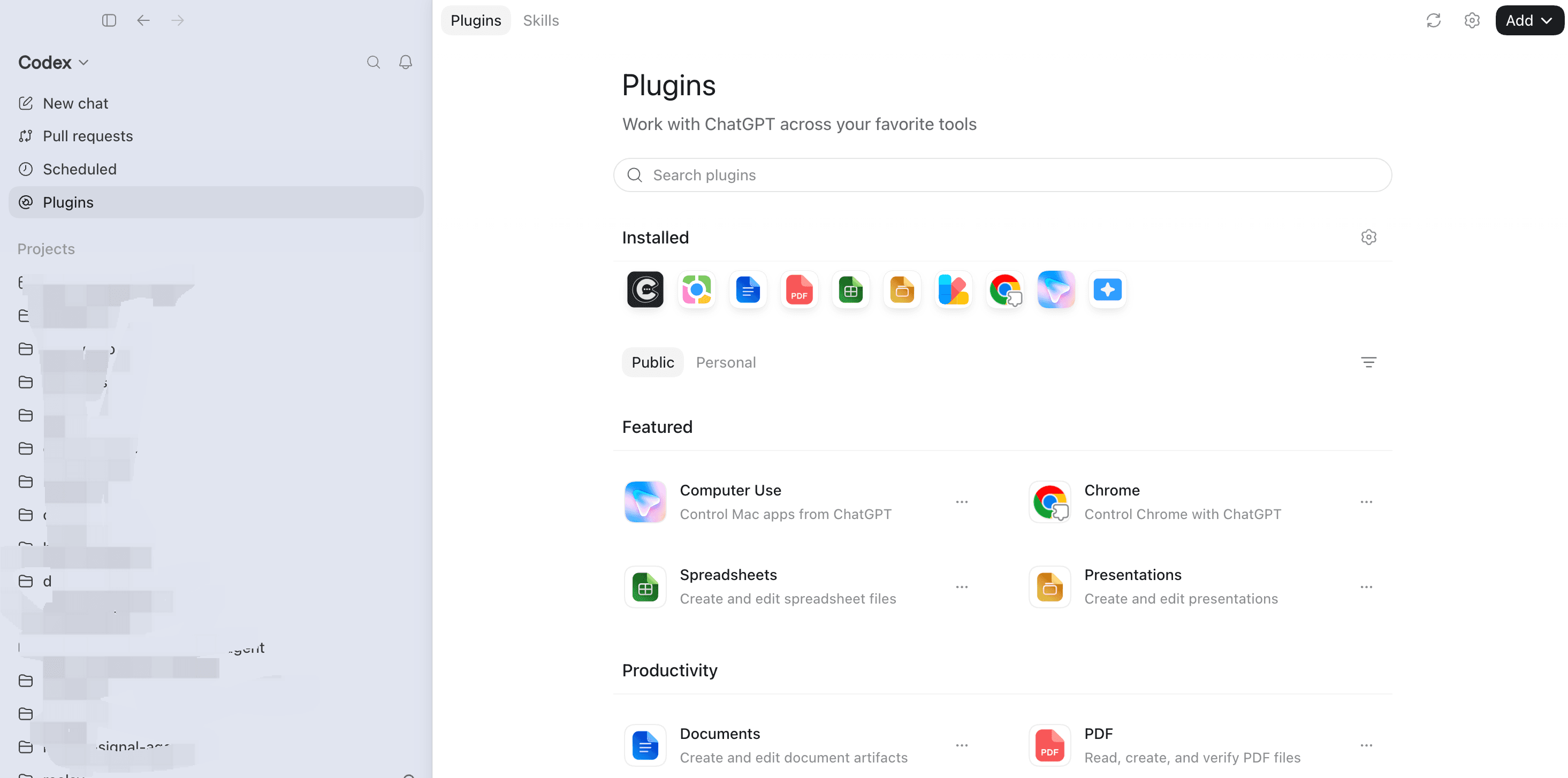
Step 01 screenshot
01
Open Plugins
Start a new task in your desktop app and open the Plugins panel.
Describe the creative brief in ChatGPT. Reelsy generates the first useful assets, puts them on your Canvas, and opens OpenCut only when the work needs a timeline.
Copy this setup prompt into ChatGPT Desktop
/goal Read reelsy.ai/chatgpt and install or update the Reelsy plugin from https://github.com/reelsy-ai/reelsy-chatgpt-plugin, connect my Reelsy account, and start a new creative production task for me.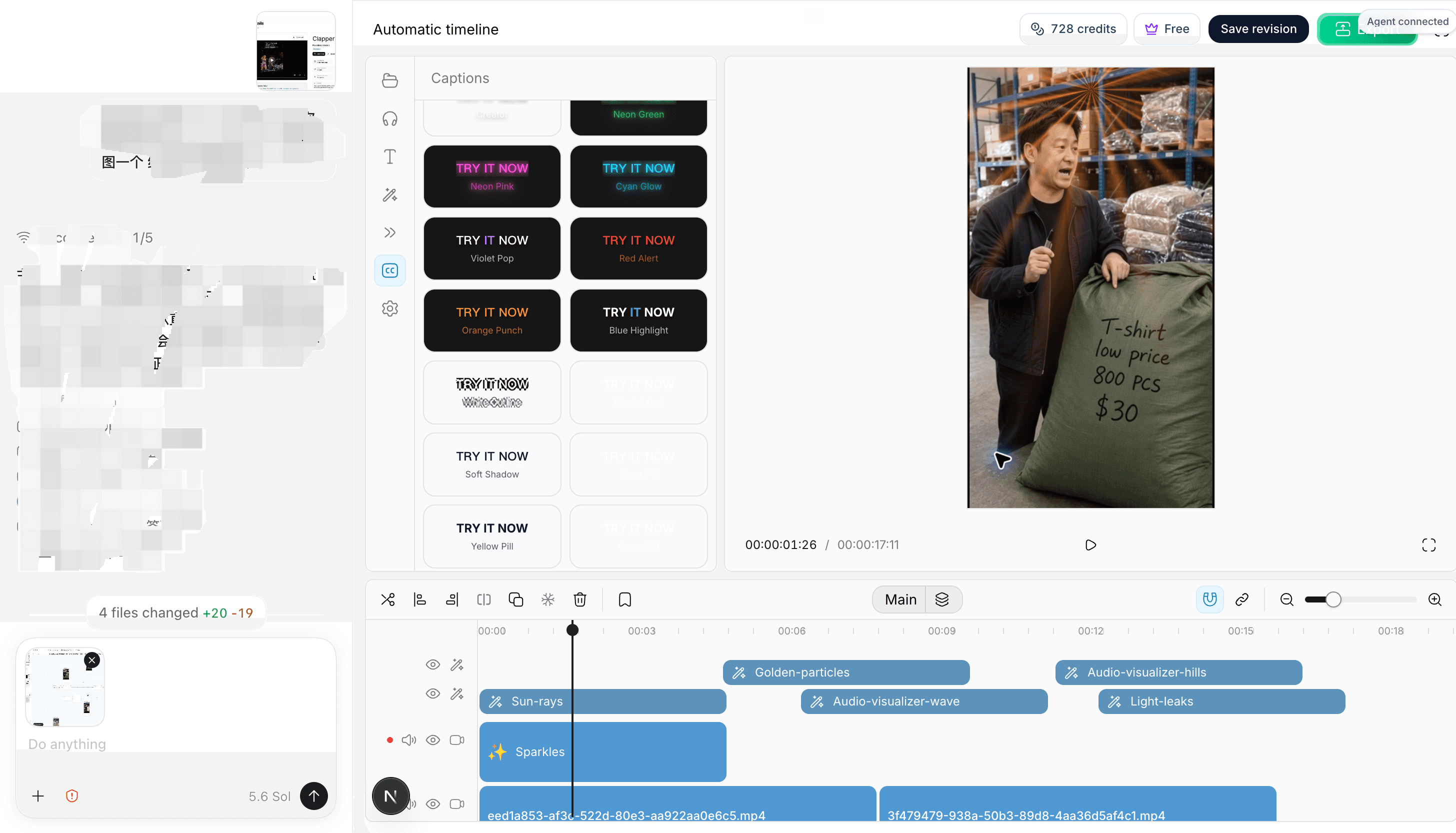
OpenCut editor session
Install from GitHub
Reelsy is installed from its public GitHub marketplace repository. Add it once, keep Git ref main, leave Sparse paths empty, and connect your Reelsy account with OAuth.
Step 01 screenshot
Start a new task in your desktop app and open the Plugins panel.
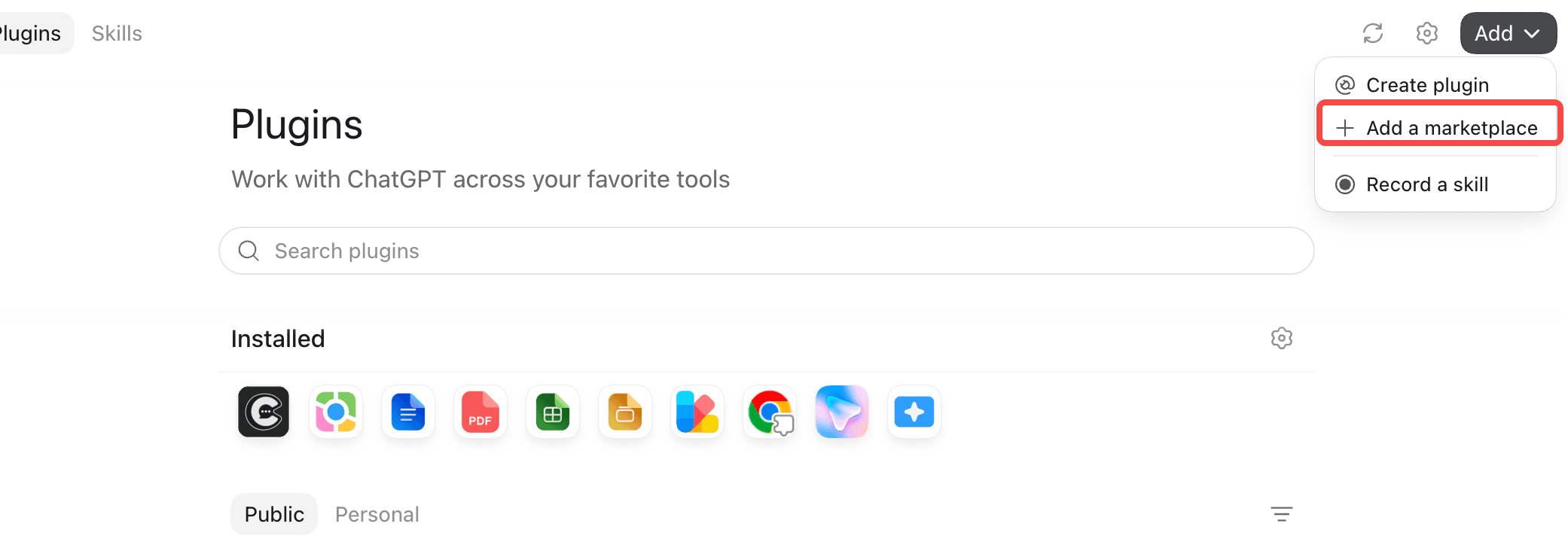
Step 02 screenshot
From the Add menu, choose Add a marketplace to open the GitHub source dialog.
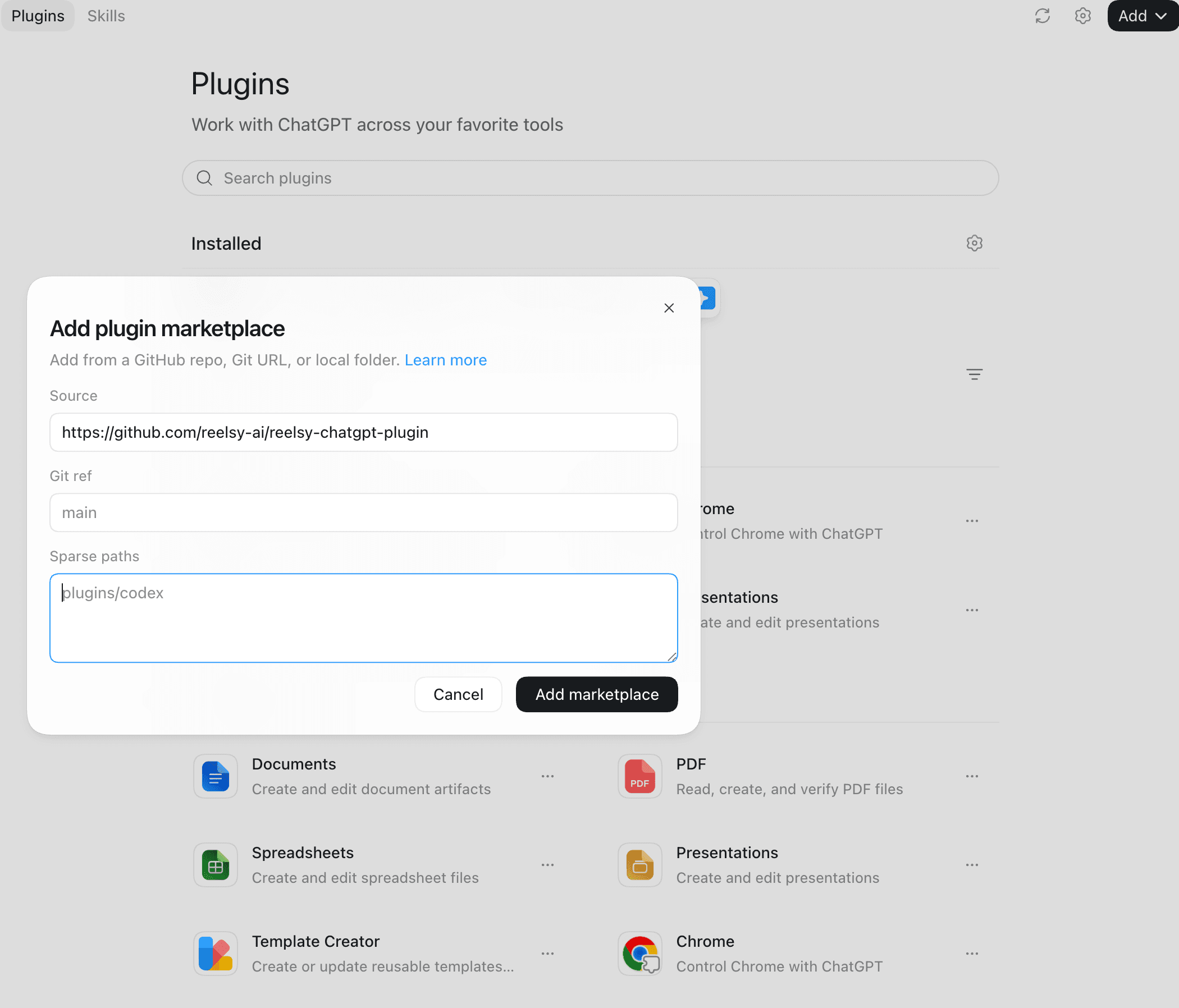
Step 03 screenshot
Use the public Reelsy GitHub repository, keep Git ref main, and leave Sparse paths empty.
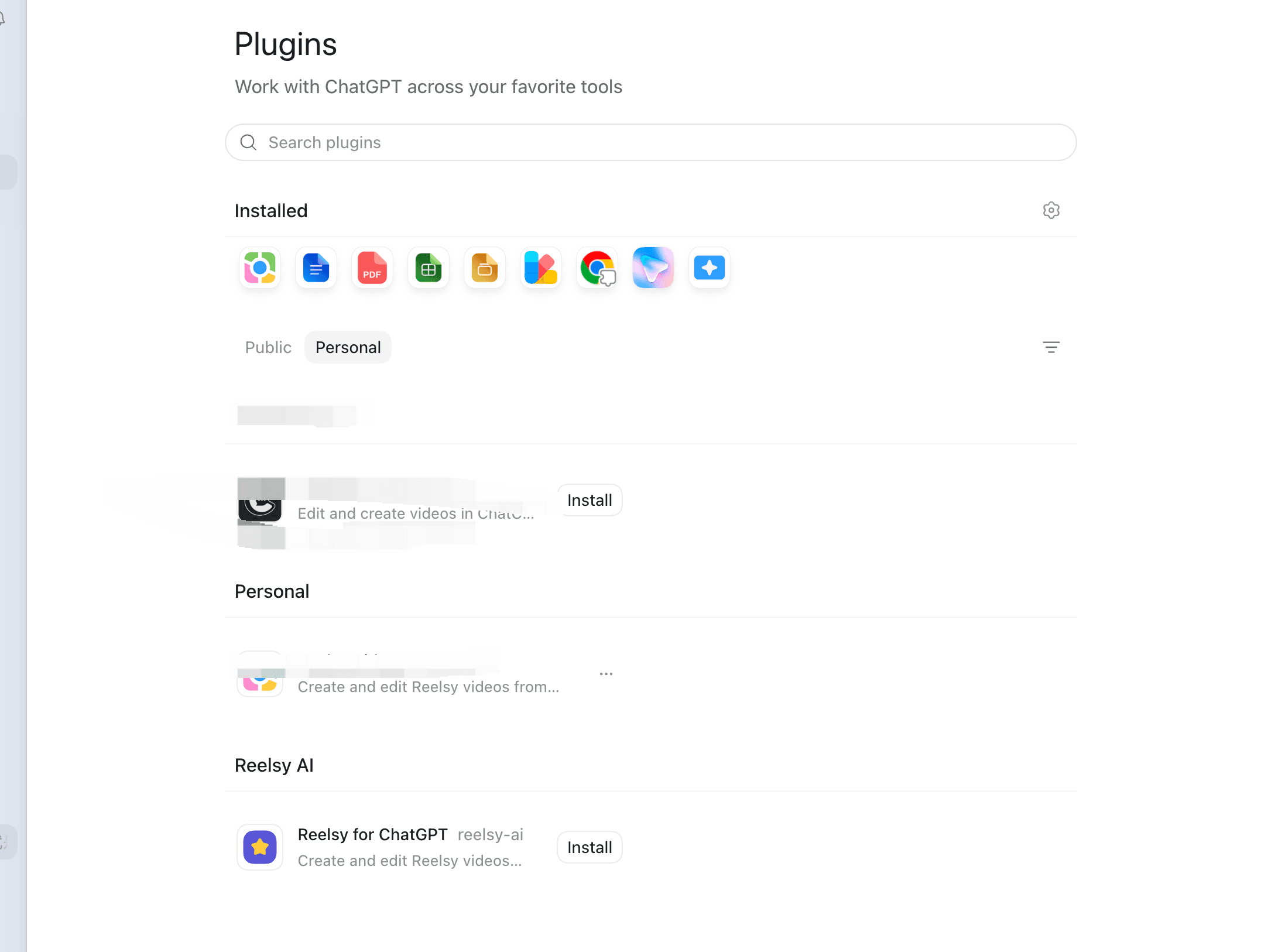
Step 04 screenshot
Open the Reelsy AI marketplace section and click Install. No API key is required.
From prompt to timeline
The first asset set should be visible before an editor appears. Use the timeline when the job actually needs a cut, captions, sound, or visual layers.
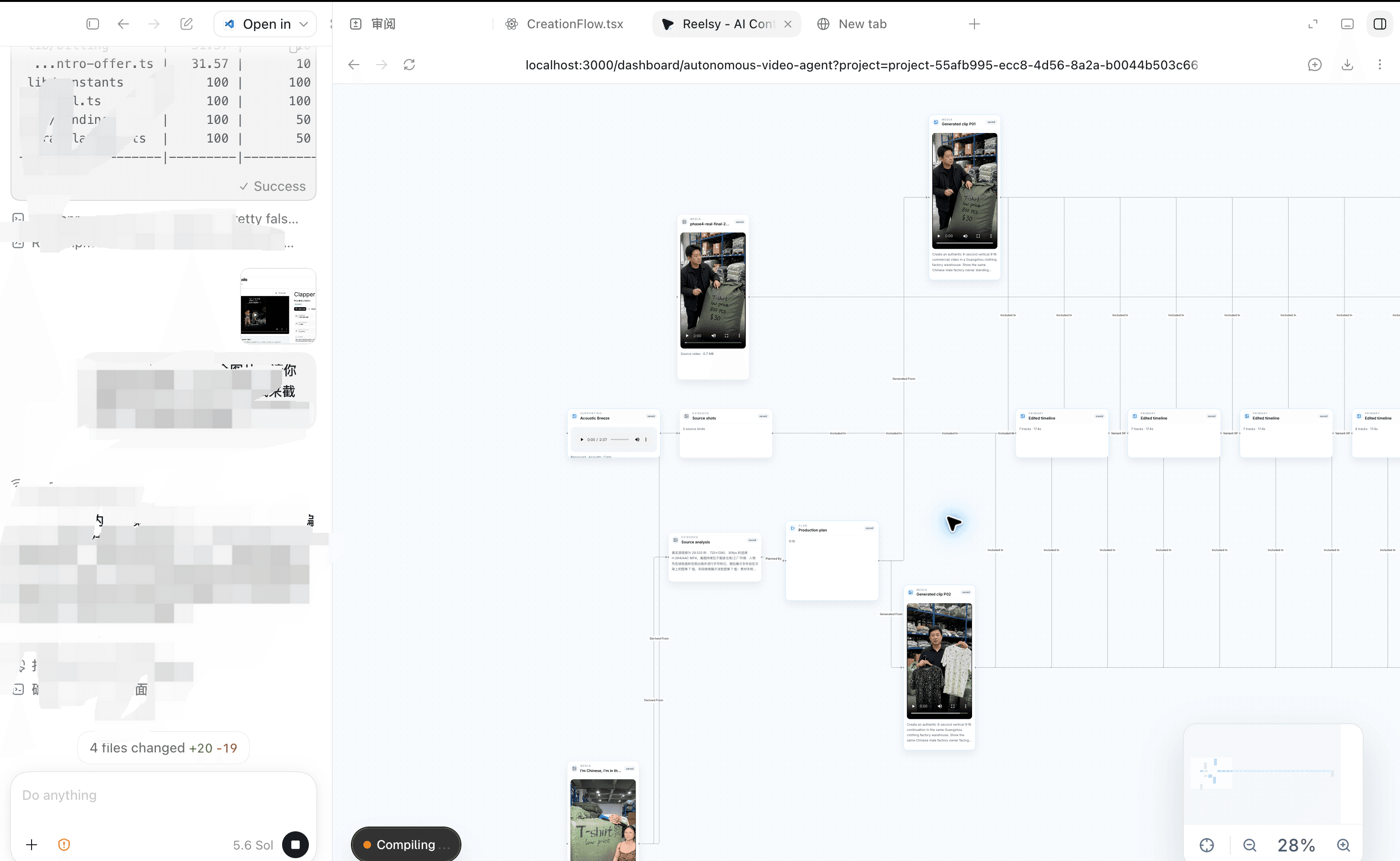
Reelsy Canvas product capture
Canvas first
Generated images, asset sets, and videos stay visible with their project context.
Hosted OpenCut product capture
Edit on request
Combine clips, add captions and music, or tune visual layers in a real timeline.
Built around your brief
Each tile is reserved for a real Reelsy result, not a decorative AI illustration.

Product shots into short-form ads

Brief to multiple creator-led variations

Reference structure into an original direction
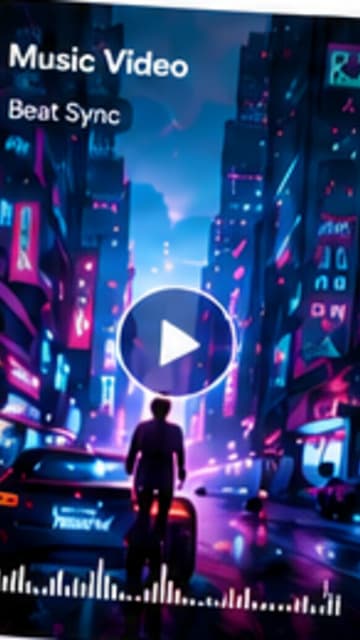
A playable cut with captions and sound
01
Get a playable result before you learn an editor.
02
ChatGPT, Canvas, and OpenCut stay on the same project.
03
Add captions, sound, and layers only when the brief calls for them.
Choose the plan that fits your content creation needs
15 credits
≈ 1 videos / month
Up to 30sFirst month with code REELSY70. Then $29/month.
600 credits
≈ 33 videos / month
Up to 30s2,400 credits
≈ 133 videos / month
Up to 60s10,000 credits
≈ 555 videos / month
Up to 90sPaid plans unlock all AI video models, premium voices, and background music.
Questions before you start
No. Reelsy uses an owner-scoped OAuth connection. Never paste an API key into ChatGPT.
A generated image, image set, or video appears on your Reelsy Canvas first. OpenCut is optional when you want to combine or refine video work.
Installation and authorization do not spend credits. Before paid generation, Reelsy shows the expected cost and waits for your confirmation.
Yes. Ask to edit, combine, caption, add music, or add visual layers and Reelsy can open the hosted OpenCut timeline.
Install from the public GitHub marketplace repository, connect your account, and let the first Canvas result show you what to do next.