Remove watermarks from images with a masked AI fill.
Upload an image, brush over the watermark, and generate a cleaned version with LaMa inpainting.
Drop in a product photo, screenshot, or social image.
JPG, PNG, or WebP. Up to 8MB.
Remove image watermarks with a precise mask.
Reelsy works like a focused AI object remover for watermarks. Instead of editing the whole photo, you mark the exact watermark area and keep the rest of the image stable. This is the safer workflow for ecommerce photos, app screenshots, ad images, and creator assets where small unwanted marks need to disappear without changing the full composition.
How it works
Three steps from upload to clean image.
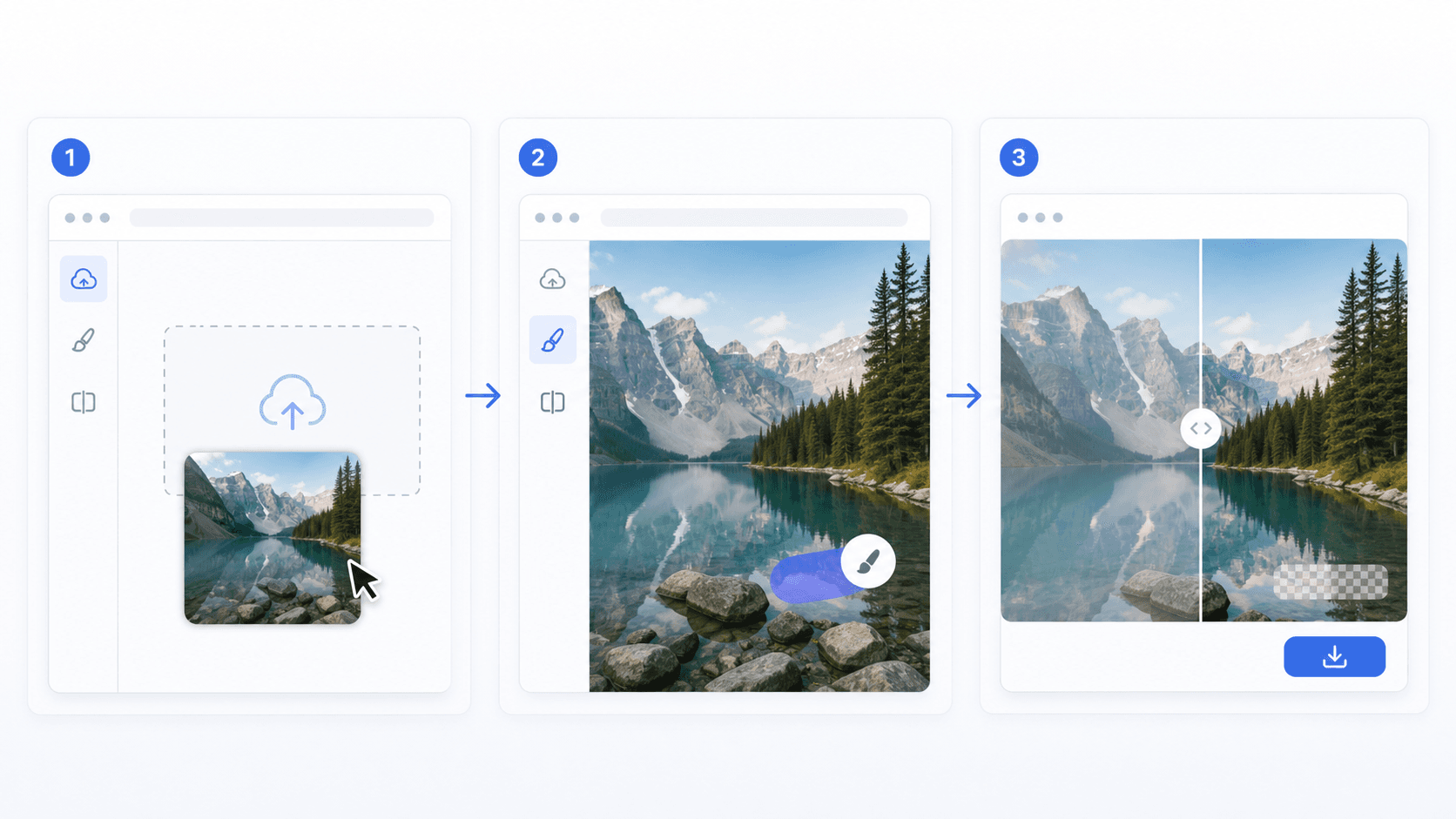
The workflow is intentionally simple: upload, mask, generate. That keeps the page useful for SEO visitors who want a fast online image watermark remover, while still giving enough control for better results than one-click guessing.
Upload the image
Start with a JPG, PNG, or WebP image. Product photos, screenshots, social posts, and ad creatives are all supported.
Brush over the watermark
Paint only the watermark, logo, text, or timestamp you want to remove. A slightly larger mask helps with transparent edges.
Generate the clean version
Reelsy prepares the mask, waits briefly, then sends the image to LaMa inpainting to rebuild the selected area.
Best use cases
This image watermark remover is designed for owned or licensed assets that need small cleanup before publishing, designing, or turning into short-form video.
Clean ecommerce product mockups before building ads or short videos.
Remove timestamp overlays from owned social media assets.
Fix screenshots, app previews, and marketplace images for landing pages.
Prepare creator-style visuals for Reelsy video templates and campaigns.
Image watermark remover vs. object remover.
The underlying editing pattern is similar: you mask pixels and the model reconstructs the background. The difference is intent. A watermark remover usually targets text, logos, dates, stamps, or low-opacity overlays. An object remover may target larger foreground objects and often needs more aggressive reconstruction.
Supported input
JPG, PNG, WebP
8MB image upload
Manual brush selection
LaMa image inpainting
Image watermark remover FAQ
Answers for common image cleanup, watermark masking, rights, and quality questions.
How does the Reelsy image watermark remover work?
Upload an image, mark the watermark area with the brush, and Reelsy sends the image and mask to a LaMa inpainting model to fill the selected area from surrounding context.
Which image formats are supported?
The current tool supports JPG, PNG, and WebP images up to 8MB. The result is returned as an edited image that you can open or download.
Can I remove any watermark from any image?
Only use this tool on images you own or have permission to edit. Do not remove marks from images you do not have rights to use.
Is this the same as video watermark removal?
No. Image watermark removal works on a single image. Video watermark removal needs a different processing pipeline because the marked area must be handled across frames.
What kind of watermarks are easiest to remove?
Small corner marks, date stamps, light overlay text, and simple logo marks usually work best. Large marks over faces, hands, or detailed product edges need a more careful mask.
Why do I need to brush the watermark area?
The brush creates a mask that tells the AI exactly which pixels should be rebuilt. This keeps the rest of the image unchanged and reduces unnecessary edits.
Does the tool remove the image background?
No. This page is focused on watermark and unwanted object cleanup. Use a background remover when the goal is to cut out the subject or create a transparent background.
Can I use this for ecommerce product images?
Yes, if you own the image or have permission to edit it. It is useful for cleaning product mockups, marketplace screenshots, ad previews, and repurposed campaign assets.
Need video cleanup too?
Video watermark removal is next in the same utility tool set. The image tool ships first because masked image inpainting is faster to validate and easier to make reliable.