


Back to tools
Avatar Presenter

AI Avatar Video Generator for Presenter-Led Videos

Create avatar-led videos from scripts, product messages, or talking points without filming a real presenter.

Use an AI avatar video generator when the message needs a face and a clear spoken delivery. Reelsy turns scripts, product notes, and talking points into presenter-led short videos without filming a real spokesperson.

Public overview first

You can evaluate the workflow here. Live sessions, saved drafts, and generation start only after login.

Interactive preview

Try the avatar video structure before login

Pick a presenter style, delivery tone, and script goal. Reelsy shows the talking-avatar outline publicly; real voice, avatar generation, credits, and saved projects start after login.

Presenter style
Voice tone
Script goal
Public prototype

Talking-avatar preview

A presenter-led outline where script, tone, captioning, and CTA stay explicit.

Presenter style
Product spokesperson
Voice tone
Confident
Script goal
Explain value
Storyboard beats
  1. 0-2s: presenter states the problem
  2. 2-7s: value explained in plain language
  3. 7-12s: proof or example
  4. 12-15s: direct next step
Script spine

Here is the problem most viewers recognize immediately.

The product or message solves it in this specific way.

Now the presenter gives one clear action to take next.

Create this avatar video

This preview is deterministic. Real AI generation starts after login.

Avatar cases

Presenter clips make the value obvious faster than copy

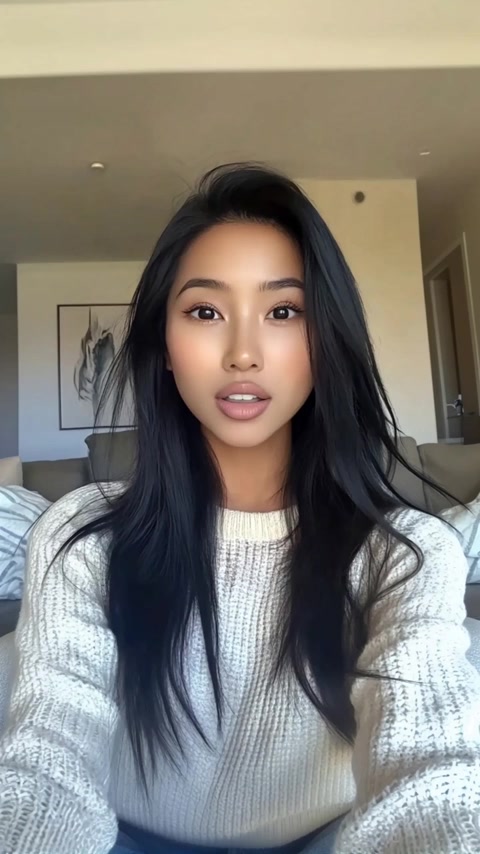
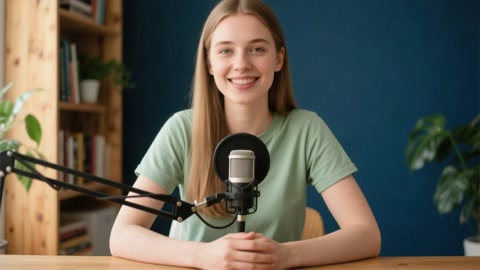
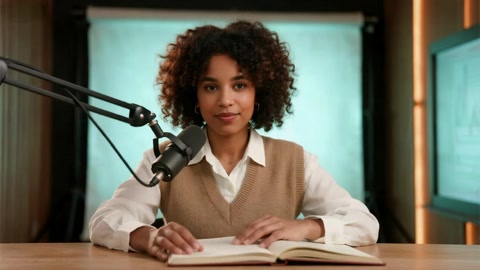
Use real digital-human previews to judge presenter fit before you move into the private avatar workspace.

Browse cases
Best for
  • Brands creating AI spokesperson videos
  • Teams turning scripts into presenter-led explainers
  • Marketers testing talking-head ads without studio shoots
Start with
  • A finished script or rough talking points
  • Avatar, voice, and delivery direction
  • The product, lesson, or message the presenter should carry
You get
  • A presenter-led avatar video structure
  • Voice, captions, and scene direction aligned to the script
  • A private AI Avatar workspace for generation and iteration
Workflow

How this tool works

1

Add the script

Start from a script, product message, or talking-point outline that should become a spoken video.

2

Choose presenter direction

Define the avatar style, voice, tone, captions, and format so the delivery has a clear job.

3

Generate privately

Open the AI Avatar workspace to create the presenter-led video and keep generated assets in your account.

Inputs

Start with the message the avatar needs to deliver.

Avatar videos work when the script, voice, and delivery all support one clear communication goal.

  • Script or talking points
  • Avatar or character direction
  • Voice and tone
  • Captions and aspect ratio
  • Product, lesson, or CTA
Use cases

Use avatar delivery when a face makes the video clearer.

The avatar is the delivery vehicle. Keep the page focused on spoken clarity, not generic video generation.

  • AI spokesperson videos
  • Product explainers
  • UGC-style presenter ads
  • Training clips
  • Social talking-head videos

Script-first presenter flow

The page is built around what the avatar says, how it is delivered, and why the viewer should trust the message.

No camera or studio required

Use avatar-led delivery when you need a person on screen but do not want to schedule a creator, actor, or filming session.

Useful beyond ads

Works for product explainers, training snippets, social talking-head videos, and spokesperson-style announcements.

Access model

The live workspace is private by design.

This page explains the tool clearly before signup. The actual generation surface stays inside your account so sessions, assets, credits, and exports remain private.

Comparison

Why this page is not a generic AI video prompt box

Decision point
Reelsy
Generic AI video page
Primary job
Turn a script into a controlled presenter-led short video.
Generate a generic talking-head clip from broad text.
Inputs
Script, presenter direction, tone, captions, and goal stay explicit.
Often starts from a single prompt and hides delivery decisions.
Best use
Product explainers, spokesperson clips, onboarding, and UGC-style presenter ads.
Loose avatar demos with unclear production path.
Pricing

Pricing for avatar videos without filming

Start with the same Reelsy credit plans. The public page previews the presenter structure; actual avatar generation and exports use account credits.

$14.50
first month with code BEST50, then $29/month
  • Try the structure before signup
  • Use scripts, voice, captions, and avatar direction
  • Generate privately with saved projects
Create avatar video

Starter

600 credits/month · about 33 videos · up to 30s

$29
per month

Growth

Popular

2,400 credits/month · about 133 videos · up to 60s

$79
per month

Ultra

10,000 credits/month · about 555 videos · up to 90s

$299
per month
FAQ

Questions before you start

What is an AI avatar video generator?

It is a workflow that turns a script or message into a presenter-led video using an AI avatar, voice, captions, and scene direction.

Can I create a talking avatar from text?

Yes. Start from text, talking points, or a product message, then use the AI Avatar workspace to generate the spoken video.

Can I use this for product ads?

Yes. Use avatar videos for spokesperson-style product ads, explainers, and social videos where a presenter should carry the message.

Does it support voice and captions?

The Reelsy avatar workflow is designed around script delivery, voice, captions, and export-ready scenes.

How is this different from UGC video?

UGC video focuses on creator-style product context. AI Avatar focuses on a controlled presenter format driven by a script.

Turn the script into a talking avatar video.

Choose a presenter direction, keep the message clear, and continue in the private AI Avatar workspace.

Related tools

Choose the page that matches the job

AI Avatar Video Generator for Presenter-Led Videos | Reelsy